Imagine your next royalty settlement is already prepared before you even start planning
Intelligent Job cards automate the planning
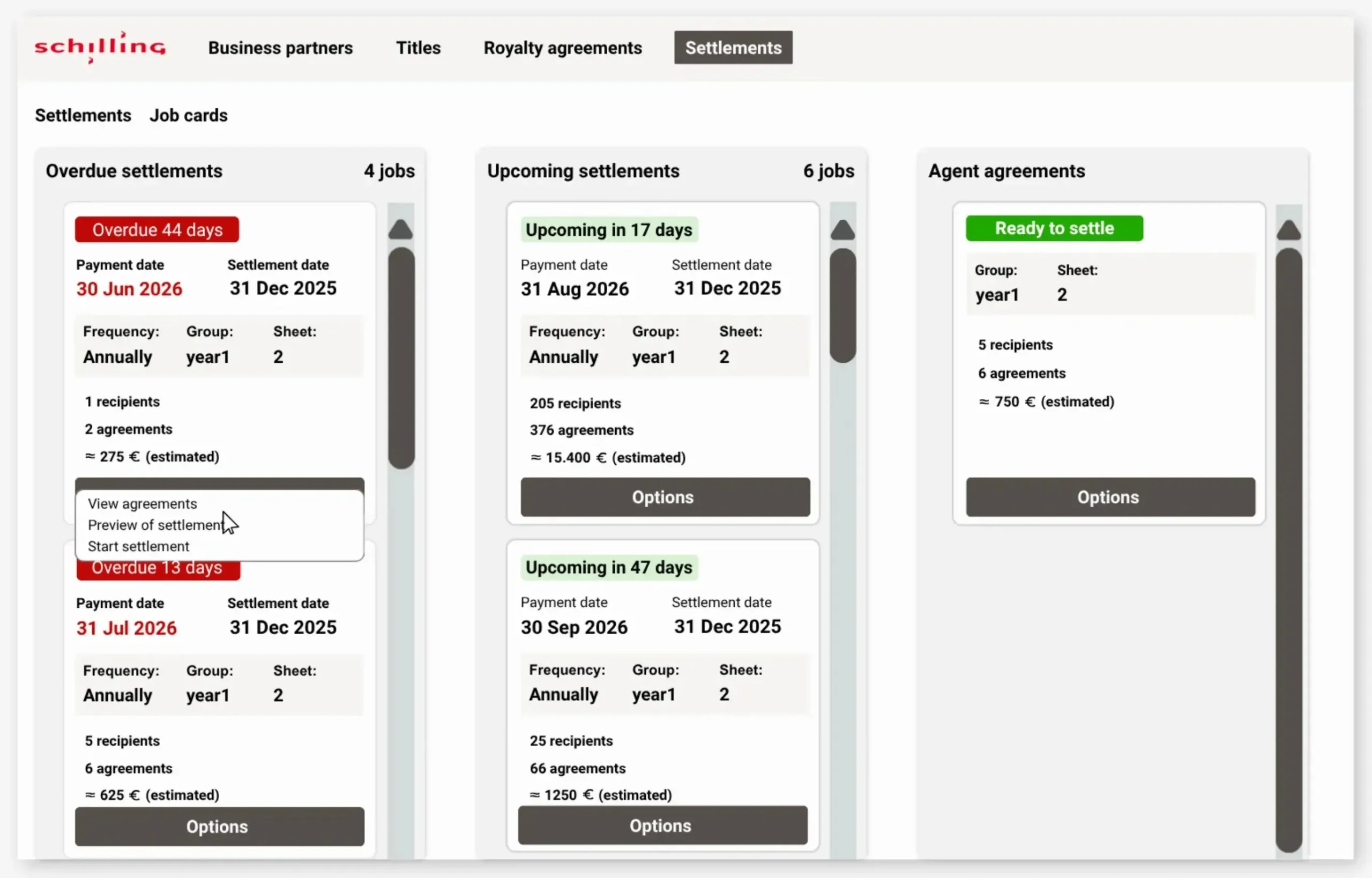
With Job cards, you can automate your royalty settlement planning and automatically gain the structure and overview you previously spent hours creating.
All the initial work of selecting royalty agreements, titles and authors is handled automatically. Intelligent Job Cards bring together the relevant items and get them ready for processing.
The idea behind Job cards
Job cards in Schilling Waves are built around one simple idea: to make the journey from planning to royalty settlement as short and straightforward as possible.
That’s why design, functionality and workflows come together in one simple process where planning happens automatically, so everything is ready for processing.
Define the structure of your Job cards
Intelligent Job cards are created based on criteria you define yourself, such as:
Payment date
Settlement date
Frequency
Settlement group
VAT codes
Royalty sheet (e.g. grouping by brand or publisher)
Job cards automatically bring together the relevant royalty elements and give you a clear overview of upcoming settlements.
But there’s much more to it
Job cards are just one part of the functionality designed to make the entire royalty settlement workflow easier and more efficient – from daily checks and look-ups to planning, settlement, and reviewing previous settlement runs.
From search to planning and completed royalty settlement
All
Search
Advanced search functionality makes it faster and easier to search across titles, agreements and business partners
Planning
Intelligent Job cards automate the planning process and bring together everything needed for your next royalty settlement
Royalty settlement
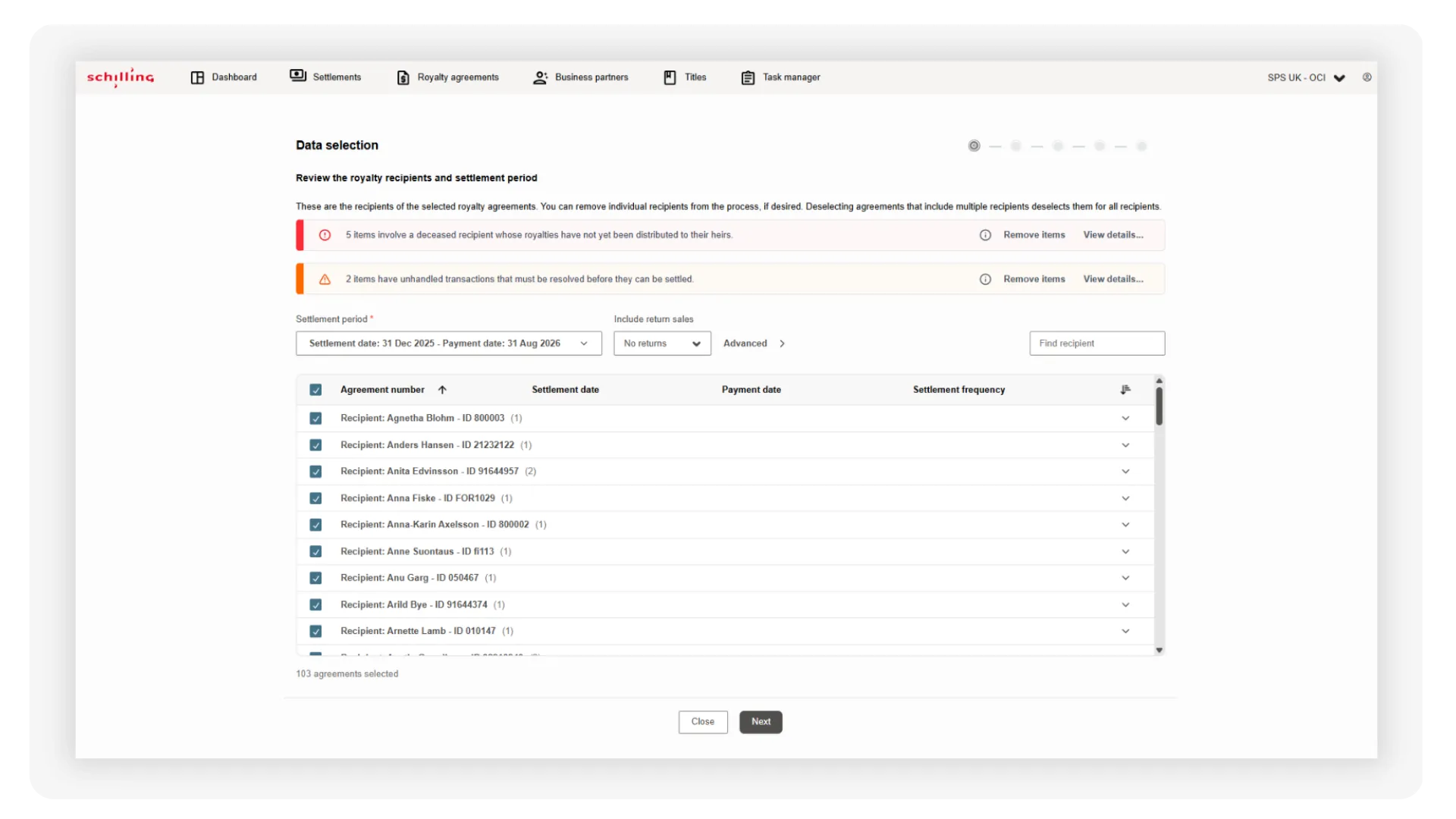
Easy 5-step guided settlement process with built-in automatic controls
Overview and history
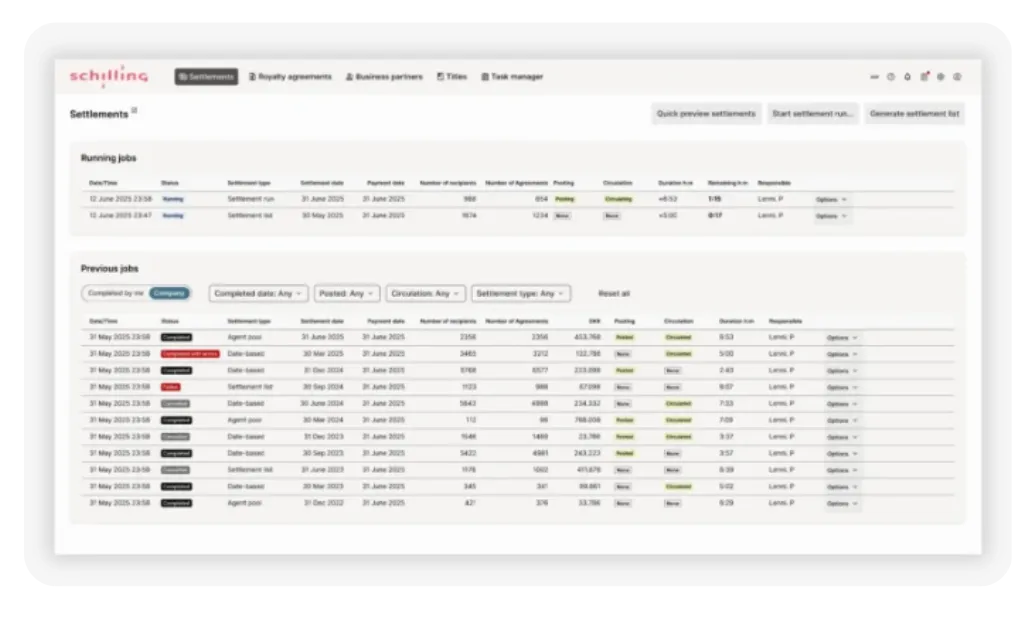
Job Manager gives you a complete overview of current and previous settlements, including history and all relevant details
Search
Advanced search functionality makes it faster and easier to search across titles, agreements and business partners
Planning
Intelligent Job cards automate the planning process and bring together everything needed for your next royalty settlement
Royalty settlement
Easy 5-step guided settlement process with built-in automatic controls
Overview and history
Job Manager gives you a complete overview of current and previous settlements, including history and all relevant details
Made simple
Royalty settlement
Easy 5-step guided settlement process with built-in automatic controls
When your Job cards are ready for settlement, you can start the process with a single click.
From there, Schilling Waves guides you through five simple steps – as intuitive as shopping online. Along the way, automated controls and notifications guide you safely from start to finish.
Instead of entering information manually, you simply click your way through the easy 5-step guided process. This eliminates manual data-entry errors while making the settlement process faster and more efficient.
Overview and history
Job manager gives you the complete overview and all the details
Running settlement jobs
Previous settlement jobs
A complete historical overview with filtering and search functionality across all settlement jobs
With Job manager, you get a complete overview of previous settlement runs and can easily explore the underlying data and details whenever you need them.
See it all live
From search and automated planning to completed royalty settlement
Interested in seeing how it works?
Fill in the form with your email address, and we’ll get in touch to arrange a demo.
Advanced search and filtering
Automated planning with intelligent Job cards
Easy 5-step guided settlement process with built-in automatic controls
Complete overview and history with Job manager
Kind regards
Lenni Palmund, Solution Expert
Free up valuable time and resources
Avoid manual data entry errors
Around 20% more efficient – with the easy 5-step guided settlement process alone
What users say
Overview
A great, complete overview – so no more of all these open windows that you have to browse between.”
”Really good guide through the process with controls before you start the first run.”
Avoid manual data entry errors
“It’s really good that you can just click your way through instead of having to type everything in. Most of our errors happened when we entered the wrong data.”
Efficiency
”This quick preview function means that we’ll save a lot of time.”