
Waves

Schilling Waves
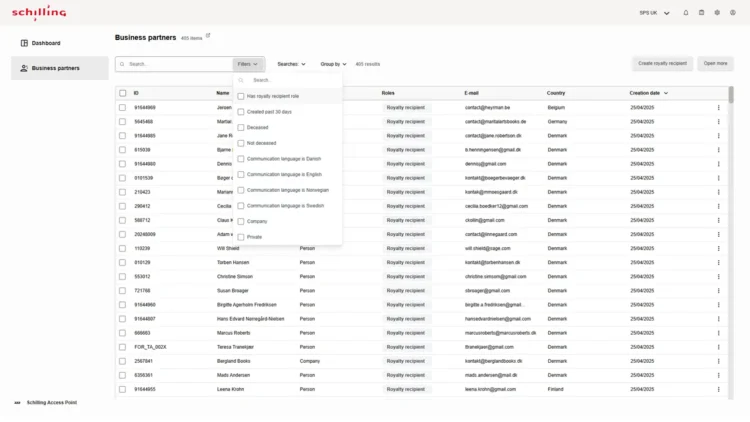
Better overview and more efficient search processes for different types of partners
Business partner brings all business relations – regardless of role – together in one place:
- Overview, search, and filtering.
- Define business partner roles.
- Settlement details for royalty recipients.
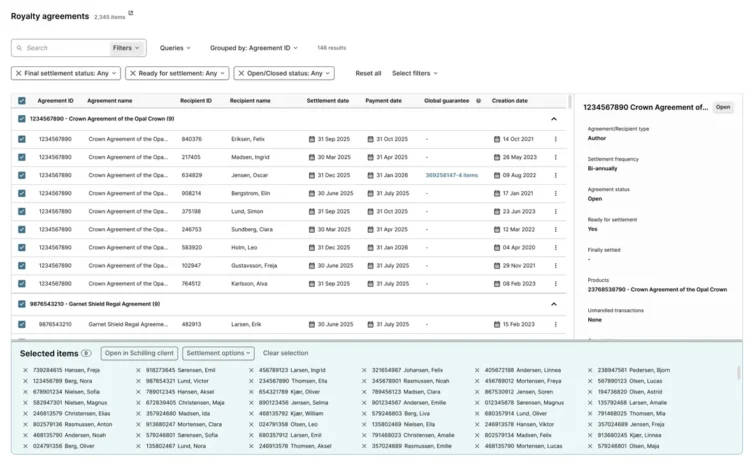
Five good reasons to settle your royalties in Schilling Waves
- Settle royalties anytime, anywhere – whether by agreement, title, or business partner.
- Search effectively using filters and add items to your basket – ready for processing.
- Skip manual entry – click your way through and avoid mistakes.
- Speed up review and quality assurance with the powerful quick preview function.
- Automated controls and notifications ensure accurate settlements.

Get a winning hand for your next royalty settlement
With Job cards, you can automate your royalty settlement planning and automatically gain the structure and overview you previously spent hours creating.
All the initial work of selecting royalty agreements, titles and authors is handled automatically. Intelligent Job cards bring together the relevant items and get them ready for processing.
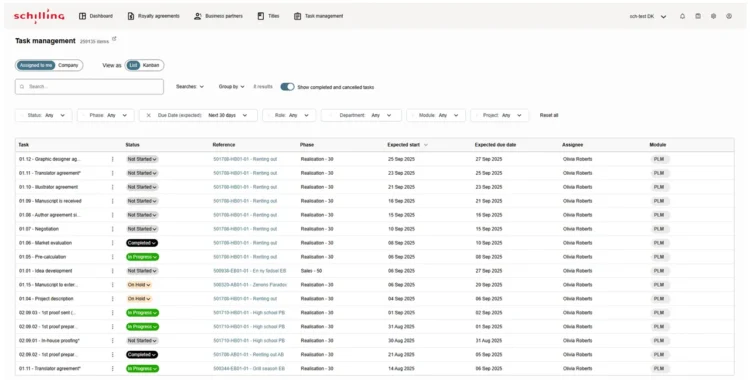
Say goodbye to tasks slipping through the cracks, being forgotten, or missing deadlines. With PLM Task manager in Schilling Waves you and your colleagues get an instant overview of tasks and their status.
With our intuitive, intelligent search and filtering options, you can get a crystal-clear overview – either in a structured list view or in a clear, easy-to-read Kanban format.

Different responsibilities – the same need for a clear overview
Schilling Editorial Desk is a unified, role-based workspace for editorial teams, bringing together manuscripts, review, assessment, workflows, metadata, and AI-assisted support – in one connected environment.
Editors develop the title. Finance reviews the business case. Production and marketing plan from the same information.
Each person sees the work relevant to their role, with a shared view of progress.